Digital signage for supermarkets
One hub runs every screen in the store.
Mega Fresh Ad Hub is the web app behind the TVs at Supermercados Mega Fresh and El Mejor Supermarket. Staff sign in once and manage the ads on the screens, the hot-food menu boards and the printed promo cards from the same place.
9store TVs managed
5screen groups
8seasonal themes
3tools, one login
One login
Three tools. One hub.
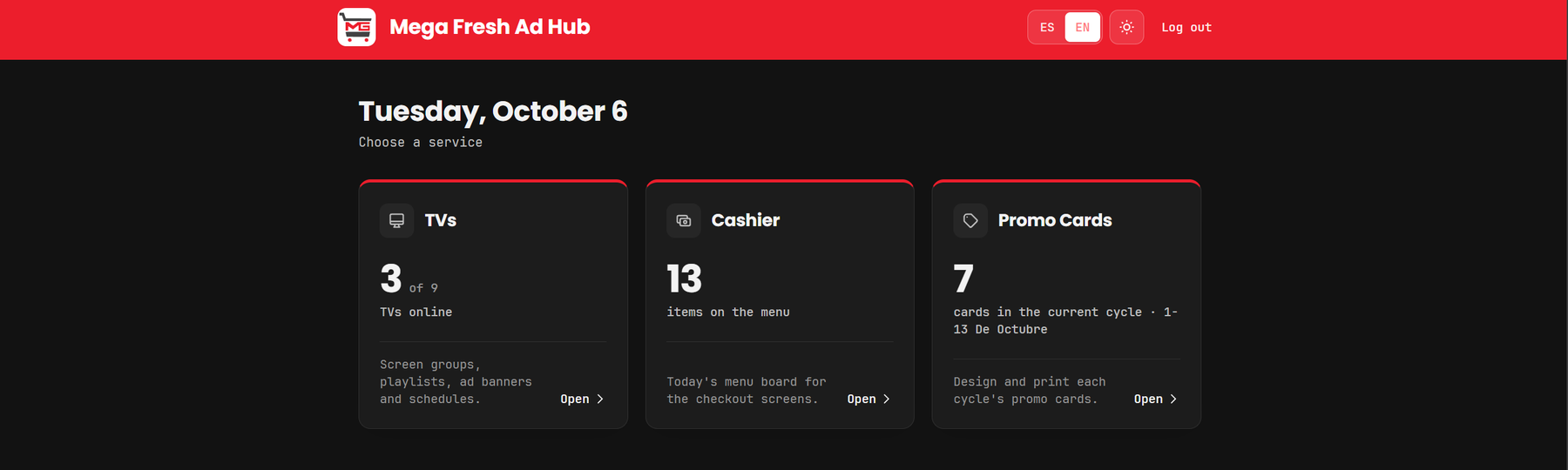
After signing in, staff land on a single menu that shows what is live right now: how many TVs are online, how many dishes are on the board, and how many cards are in the current sale.
01 — TVs
Every screen, grouped and scheduled.
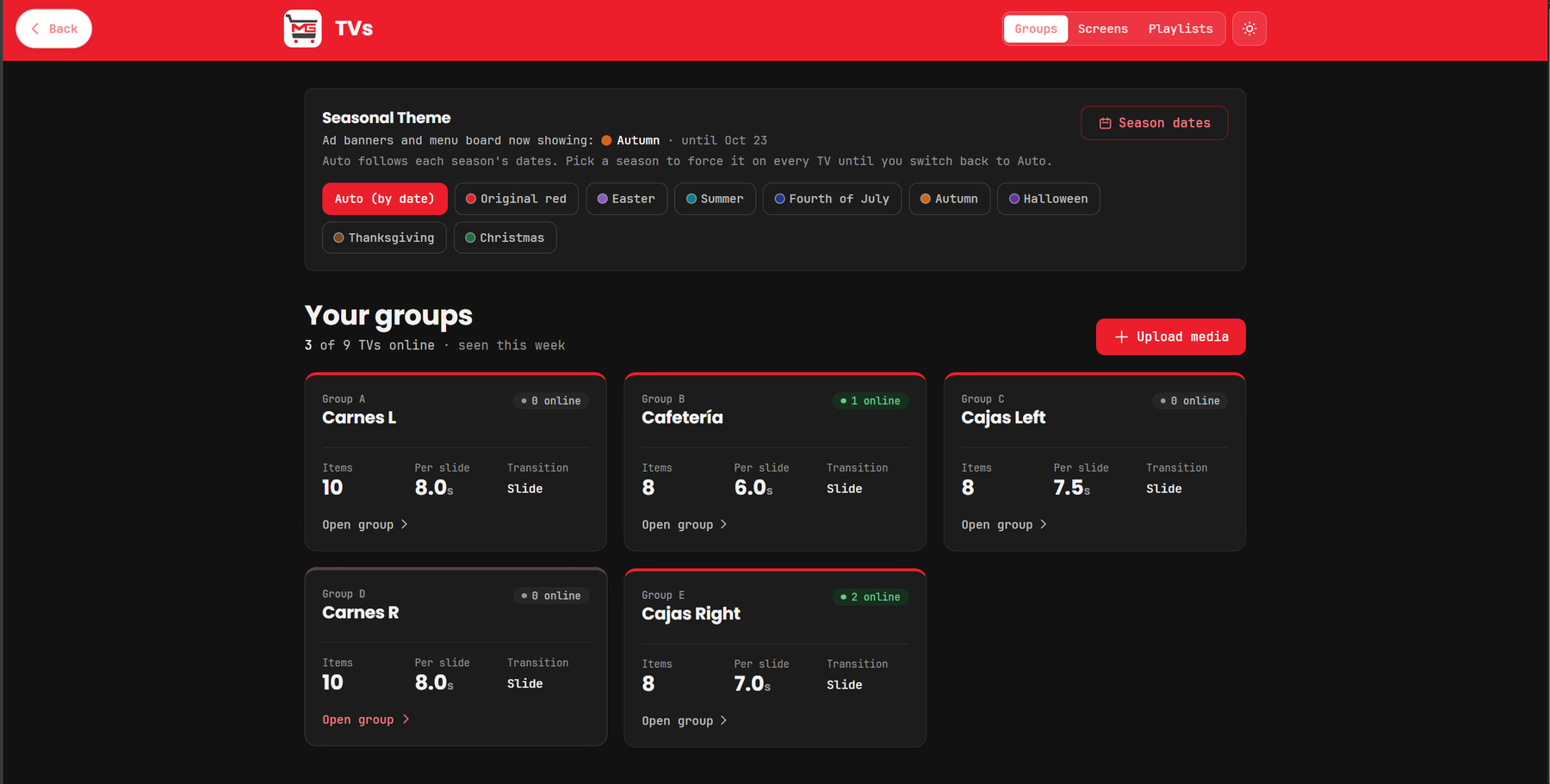
- Screen groups. TVs are organised by department, each with its own content, timing and transition.
- Scheduled playlists. Images, GIFs and video play by time of day, weekday, date range or month, with a fallback so a screen is never blank.
- Ads that expire themselves. Give a slide a start and end date and it leaves the TVs when the sale is over.
- Random mode. TVs sharing a group show different items at the same moment instead of mirroring each other.
- Pairing by code. A new TV shows a 6-digit code. Type it in, pick a group, and it starts playing.
Seasonal themes
Seasons switch themselves.
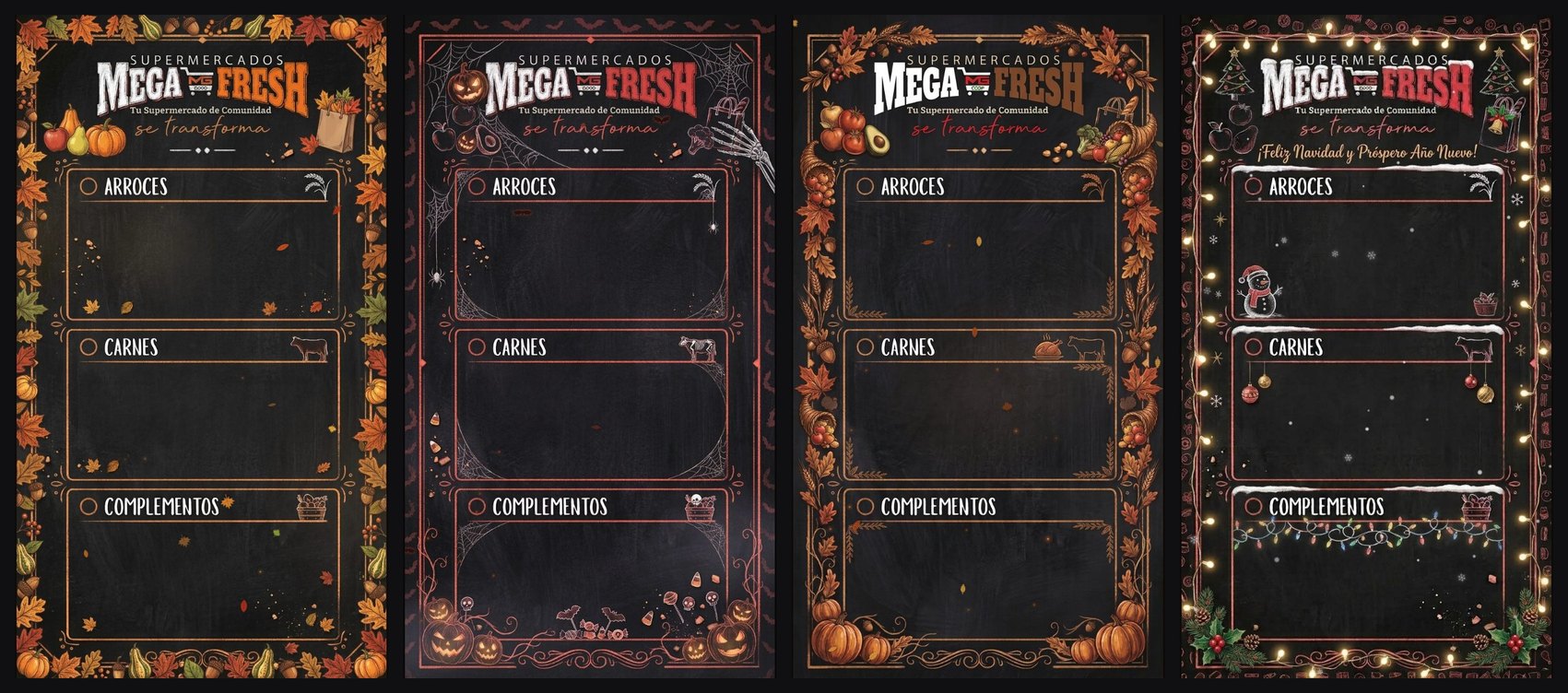
Ad banners and menu boards follow the calendar. Autumn, Halloween, Thanksgiving and Christmas each bring their own animated board, and any season can be forced onto every TV with one click.
02 — Cashier
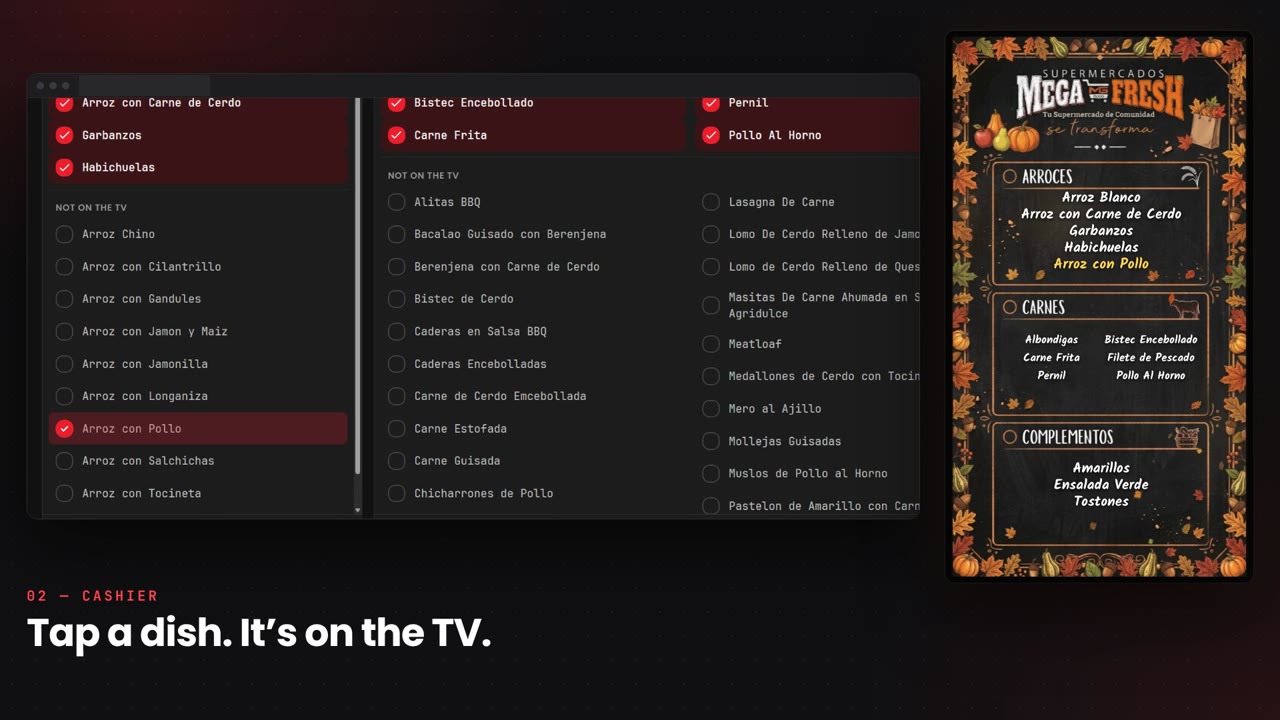
Tap a dish. It’s on the TV.
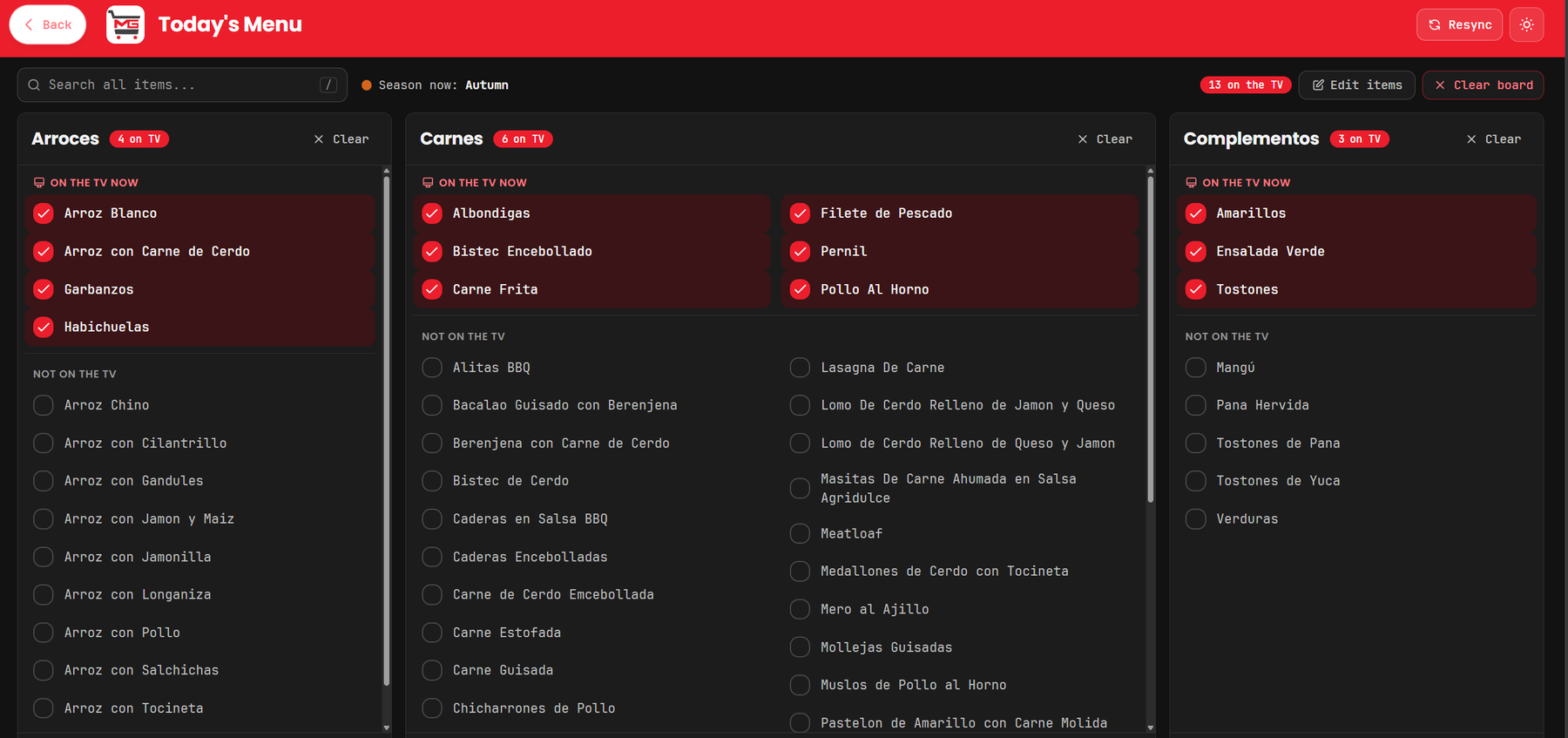
- Tap to publish. Every dish is one tap on or off, and the board on the TV updates straight away.
- Built for the counter. Three categories side by side with one search across all of them, and tabs on a phone.
- Clear with undo. Empty one category or the whole board for the next day in a single step.
- Menu hours. Show the board during lunch service, then hand the screen back to its ads automatically.
03 — Promo Cards
Design the sale once.
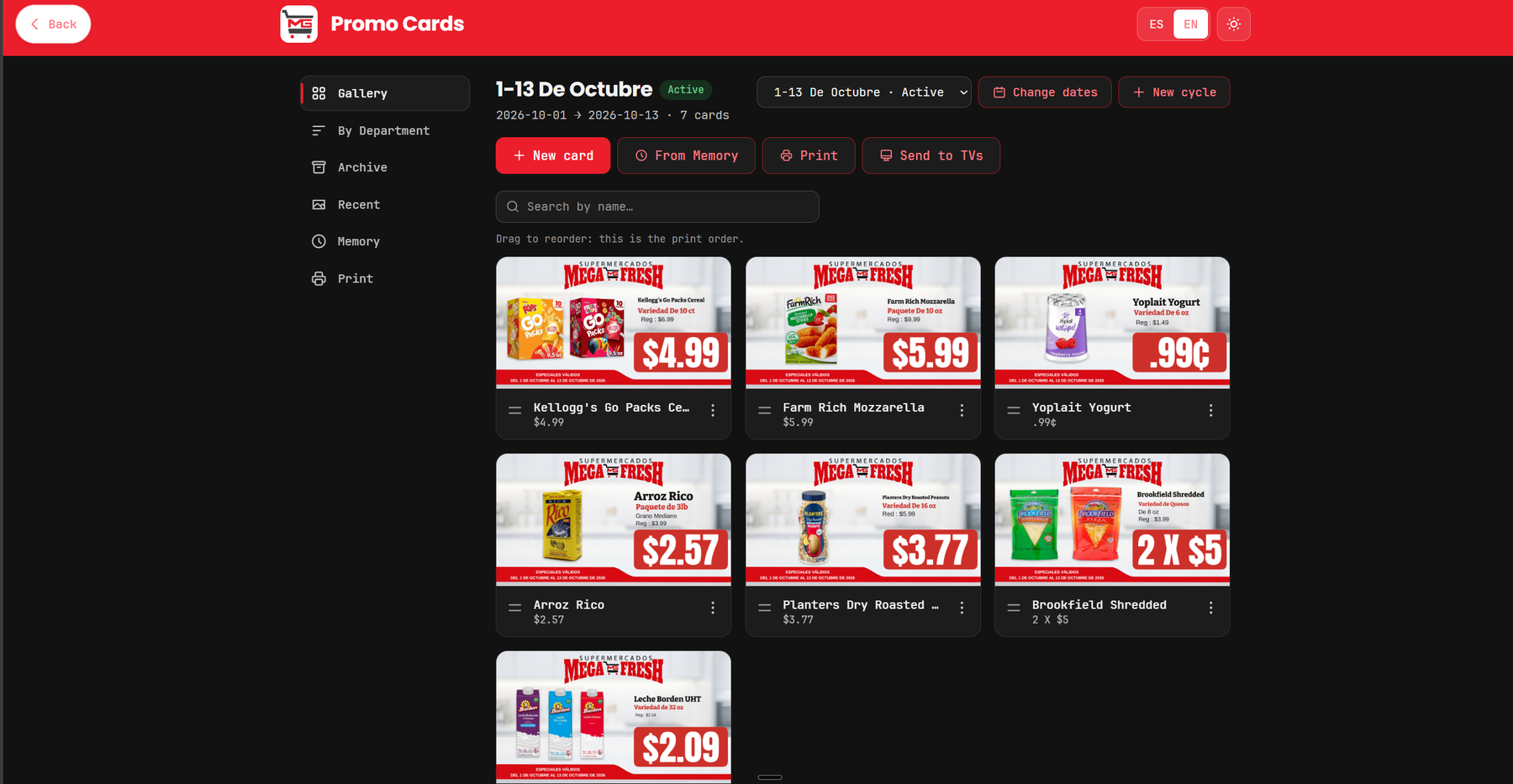
- Sale cycles. Cards are organised by the store’s two-week promotions, with past cycles kept in an archive.
- Real-world prices. The price line handles deals such as “2 X $5” and “.99¢” alongside the regular price.
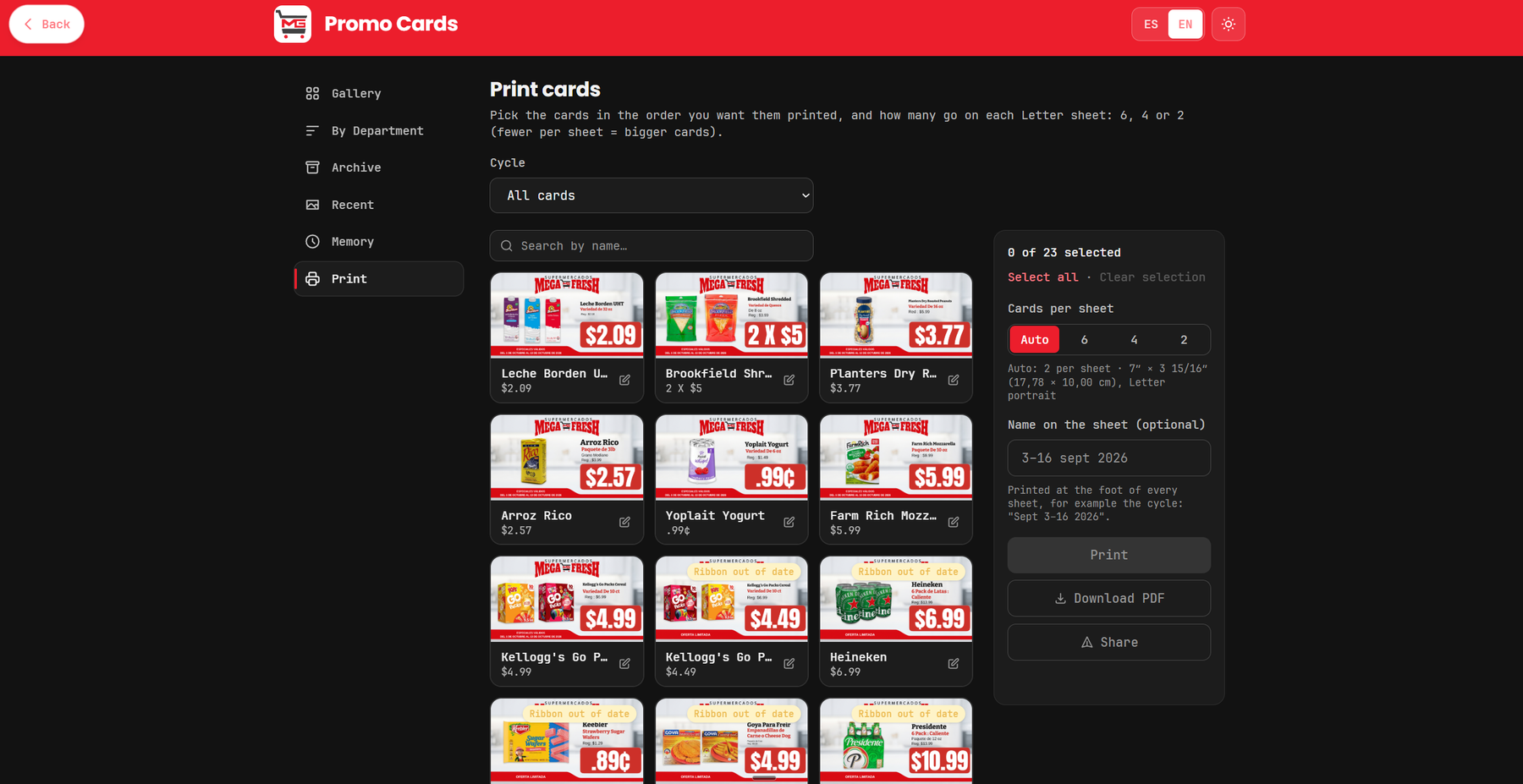
- Print for the shelf. Choose 6, 4 or 2 cards per Letter sheet, then print, download a PDF or share.
- Send to TVs. The same card goes onto the screens without being rebuilt.
On the screens
Real ads, playing in the aisles.
These are the ads running in the stores today, shown the way the TVs play them.